
Troubleshooting
This guide helps you diagnose and resolve common issues with your Shopwise integration. Use this section to troubleshoot problems and monitor your integration health.
Log Manager
The Log Manager is your primary tool for monitoring and debugging the Shopwise integration.
Accessing Log Manager
- Open ShopWise in your Shopify admin
- Navigate to Log Manager
- Review recent log entries for errors or warnings
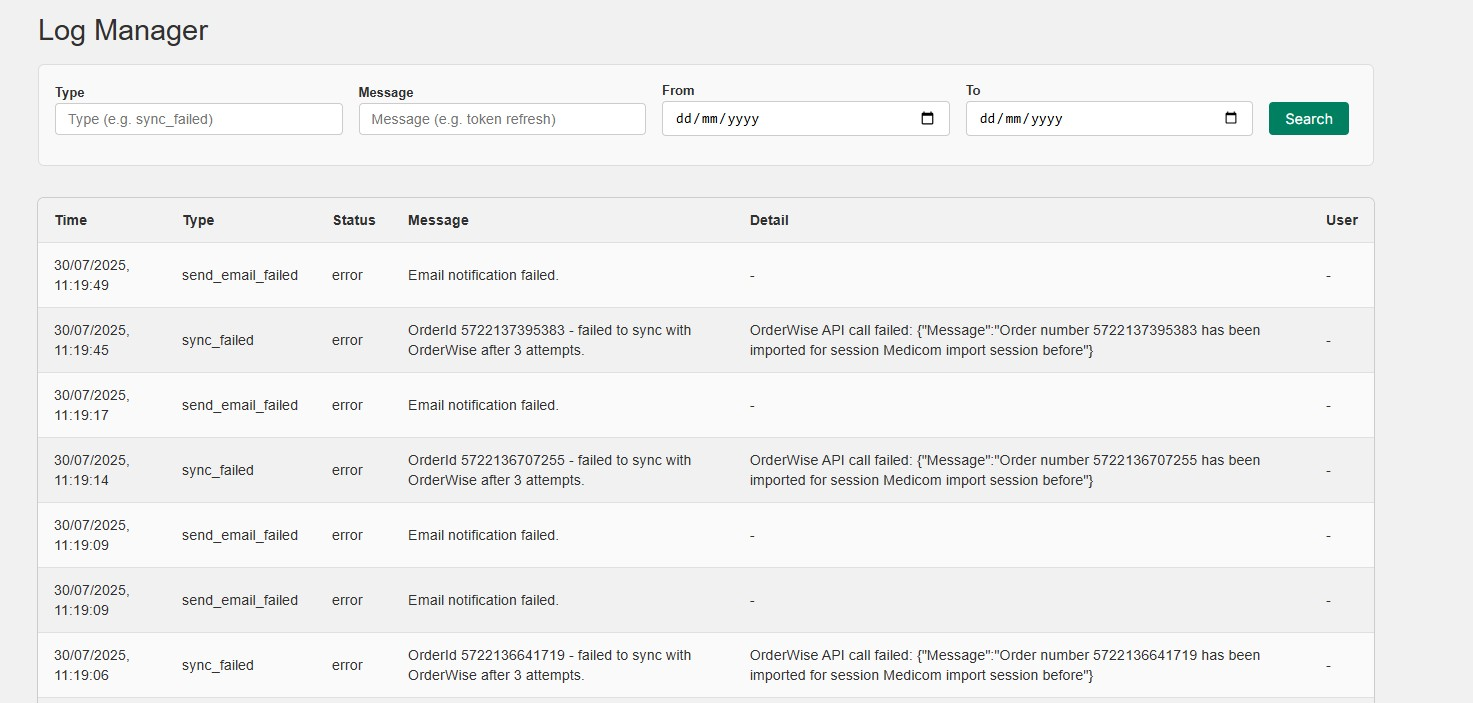
Understanding Log Entries
Log Entry Types:
- INFO: Normal operation messages
- WARNING: Non-critical issues that should be reviewed
- ERROR: Critical issues that prevent operation
- DEBUG: Detailed technical information
Common Log Messages:
- Connection status updates
- Order synchronization attempts
- Stock update notifications
- Configuration validation results
Checking App Connection
Verify Basic Connectivity
- Check Log Manager for connection errors
- Verify OrderWise Base URL is correct and accessible
- Test Credential Hash is properly base64 encoded
- Confirm Session ID exists and is active
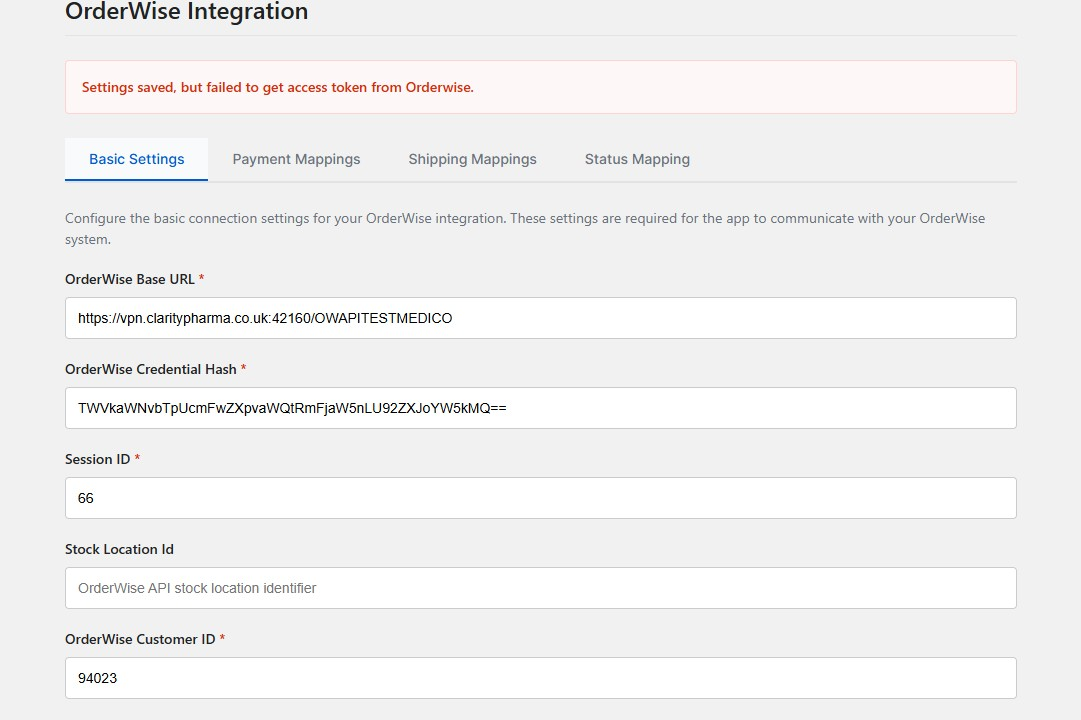
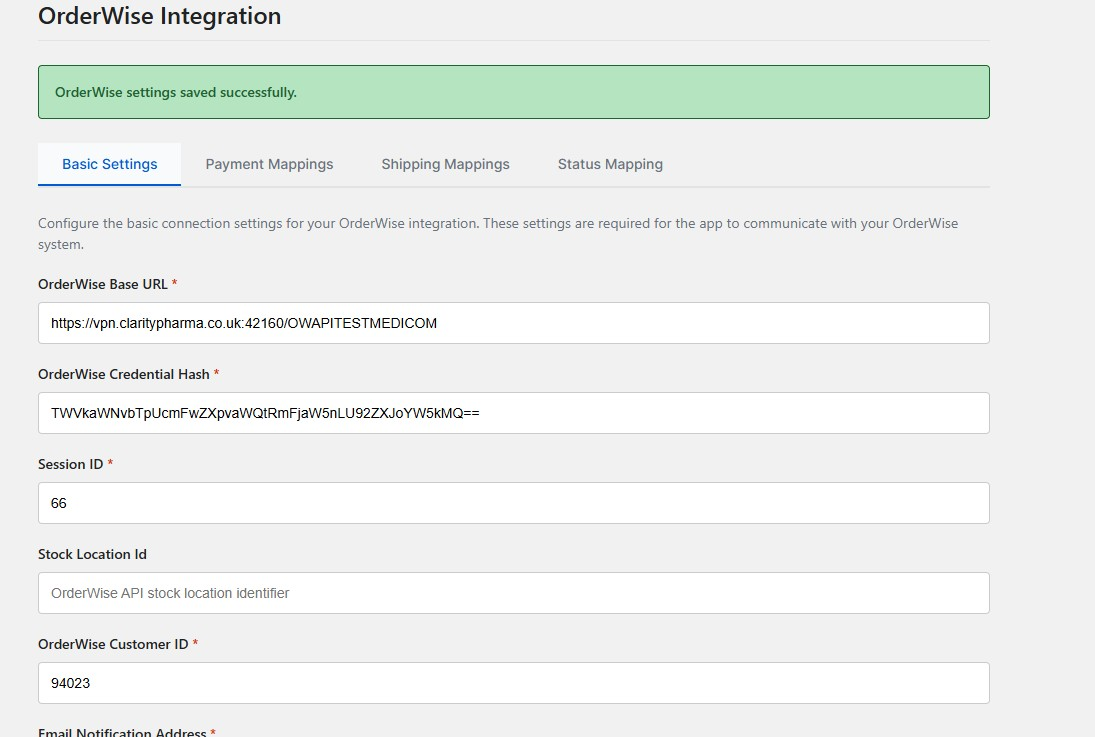
Connection Test Steps
- Go to Log Manager in ShopWise
- Look for recent connection attempts
- Check for authentication errors
- Verify OrderWise API accessibility
Common Connection Issues:
- Incorrect base URL format
- Invalid credential hash
- Expired or inactive session ID
- Network connectivity problems
Sending Orders from Shopify to OrderWise
Order Synchronization Process
- Order Created: Customer places order in Shopify
- ShopWise Processing: App processes order data
- OrderWise Transmission: Order sent to OrderWise via API
- Confirmation: Order appears in OrderWise system
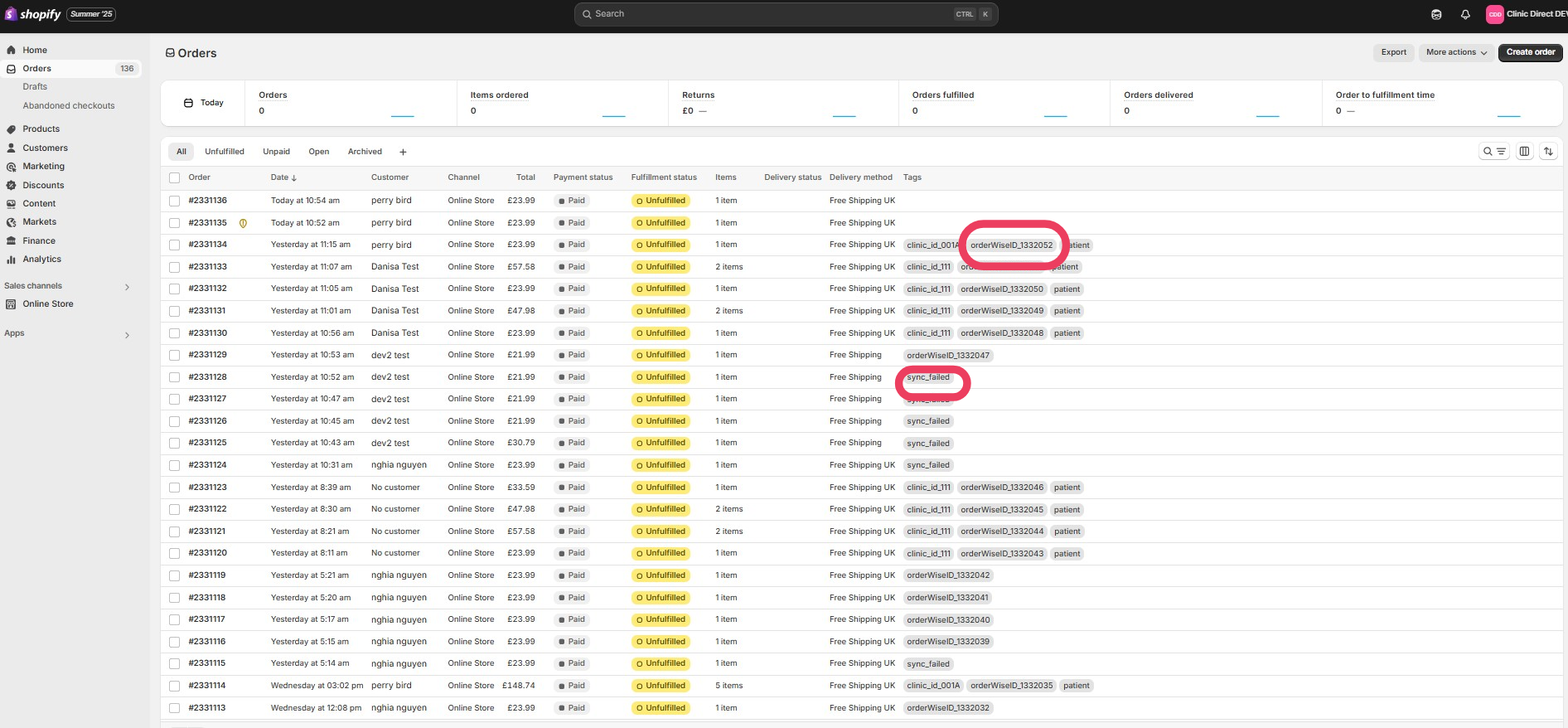
Troubleshooting Order Sync
Orders Not Appearing in OrderWise:
- Check Log Manager for transmission errors
- Verify Session ID is correct and active
- Confirm Customer ID exists in OrderWise
- Check Payment/Shipping Mappings are configured
Orders Appearing with Wrong Data:
- Review Payment Mapping configuration
- Check Shipping Mapping settings
- Verify Customer ID assignment
- Confirm Stock Location settings
Testing Order Synchronization
- Create Test Order: Place a test order in Shopify
- Monitor Logs: Check Log Manager for processing messages
- Verify OrderWise: Confirm order appears in OrderWise
- Check Data Accuracy: Verify all order details are correct
SMTP Settings
Email Notification Configuration
SMTP settings control email notifications for integration issues.
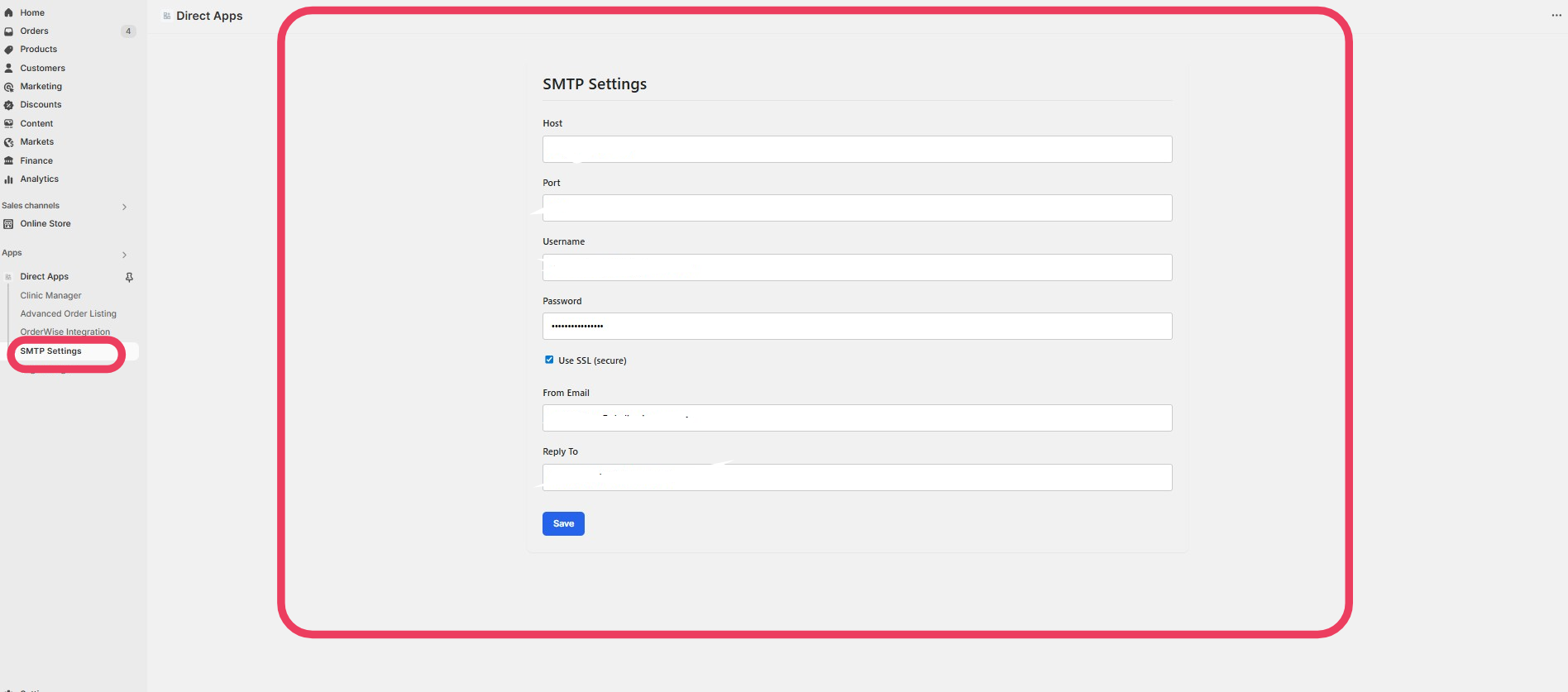
Common SMTP Issues:
- Incorrect server settings
- Authentication problems
- Firewall blocking SMTP ports
- Invalid email addresses
SMTP Troubleshooting
- Test SMTP Connection: Use email client to verify settings
- Check Firewall: Ensure SMTP ports are open
- Verify Credentials: Confirm username/password are correct
- Review Logs: Look for SMTP-related error messages
Sending Payments
Payment Processing Issues
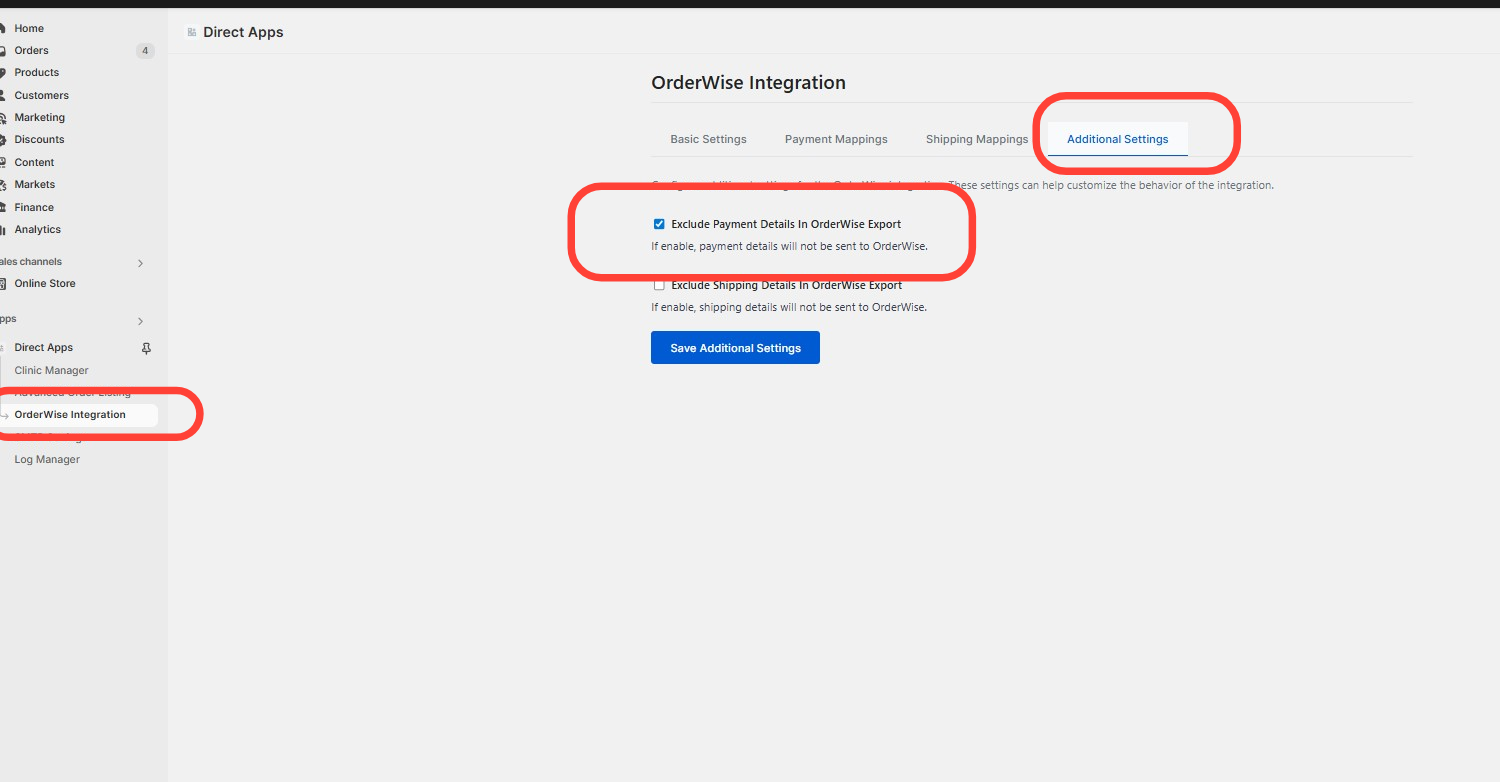
Payment Methods Not Mapping:
- Verify Gateway ID matches exactly
- Check OrderWise Payment ID is correct
- Confirm payment method exists in OrderWise
- Review Payment Mapping configuration
Payment Data Missing:
- Check order data in Shopify
- Verify payment information is captured
- Review payment processing logs
- Confirm payment method is supported
Common Issues and Solutions
Integration Not Working
Symptoms:
- No orders appearing in OrderWise
- Log Manager shows connection errors
- Stock updates not occurring
Solutions:
- Verify Configuration: Check all basic settings
- Test Connection: Use Log Manager to diagnose issues
- Review Prerequisites: Ensure all requirements are met
- Check OrderWise: Verify session is active and configured
Stock Updates Not Working
Symptoms:
- Shopify stock levels not updating
- Stock sync errors in logs
- Mismatched inventory levels
Solutions:
- Check Export Definition: Verify SQL query returns data
- Verify SKU Matching: Ensure variant codes match exactly
- Review Time Window: Confirm export includes recent changes
- Test Export: Run SQL query directly in OrderWise
Status Updates Not Working
Symptoms:
- Order statuses not updating in Shopify
- Status mapping errors
- Orders stuck in wrong status
Solutions:
- Verify Export Definition: Check status export is working
- Review Status Mapping: Ensure text matches exactly
- Check Time Window: Confirm export includes recent changes
- Test Status Changes: Manually change status in OrderWise
Product Updates Not Working
Symptoms:
- Product information not syncing
- Field mapping errors
- Metafield updates failing
Solutions:
- Check Export Definition: Verify product export returns data
- Review Field Mappings: Ensure metafields are configured correctly
- Verify SKU Matching: Confirm variant codes match
- Test Metafields: Check metafields exist in Shopify
Performance Issues
Slow Integration Performance
Symptoms:
- Long processing times
- Timeout errors
- System slowdowns
Solutions:
- Optimize Export Queries: Reduce data volume in exports
- Adjust Time Windows: Increase intervals for large datasets
- Filter Data: Use WHERE clauses to limit exported data
- Monitor Resources: Check OrderWise and Shopify performance
Large Dataset Handling
For Large Product Catalogs:
- Filter exports by product categories
- Use incremental updates only
- Consider batch processing
- Monitor database performance
For High Order Volume:
- Optimize order processing queries
- Use appropriate time windows
- Monitor API rate limits
- Consider processing schedules
Error Codes and Messages
Common Error Messages
"Connection Failed"
- Check OrderWise base URL
- Verify network connectivity
- Confirm API accessibility
"Authentication Failed"
- Verify credential hash format
- Check username/password encoding
- Confirm user permissions
"Session Not Found"
- Verify session ID is correct
- Check session is active in OrderWise
- Confirm session configuration
"Export Definition Not Found"
- Verify export definition ID
- Check export exists in OrderWise
- Confirm export is active
Debugging Steps
- Check Log Manager: Review recent error messages
- Verify Configuration: Confirm all settings are correct
- Test Components: Verify each integration component
- Review Documentation: Check setup guides for missed steps
Getting Additional Help
Before Contacting Support
- Review This Guide: Check troubleshooting steps
- Check Log Manager: Gather error details
- Document Issues: Note specific error messages
- Test Configuration: Verify all settings are correct
Information to Provide
When seeking help, provide:
- Specific error messages from Log Manager
- Configuration details (without sensitive data)
- Steps to reproduce the issue
- Expected vs. actual behavior
Support Resources
- Log Manager: Primary debugging tool
- Configuration Guides: Step-by-step setup instructions
- This Troubleshooting Guide: Common issues and solutions
- Integration Testing: Verification procedures
Need more help? Review the specific configuration guides or check the Log Manager for detailed error information.